Category Management
Open Category Management
Click "Content Management" → "Categories" in the left menu.
Add a Category
- Click the "Add Category" button
- Fill in the category name (Chinese / English)
- Select a parent category (if it's a sub-category)
- Upload a category image (optional)
- Set the sort order and homepage display count
- Save
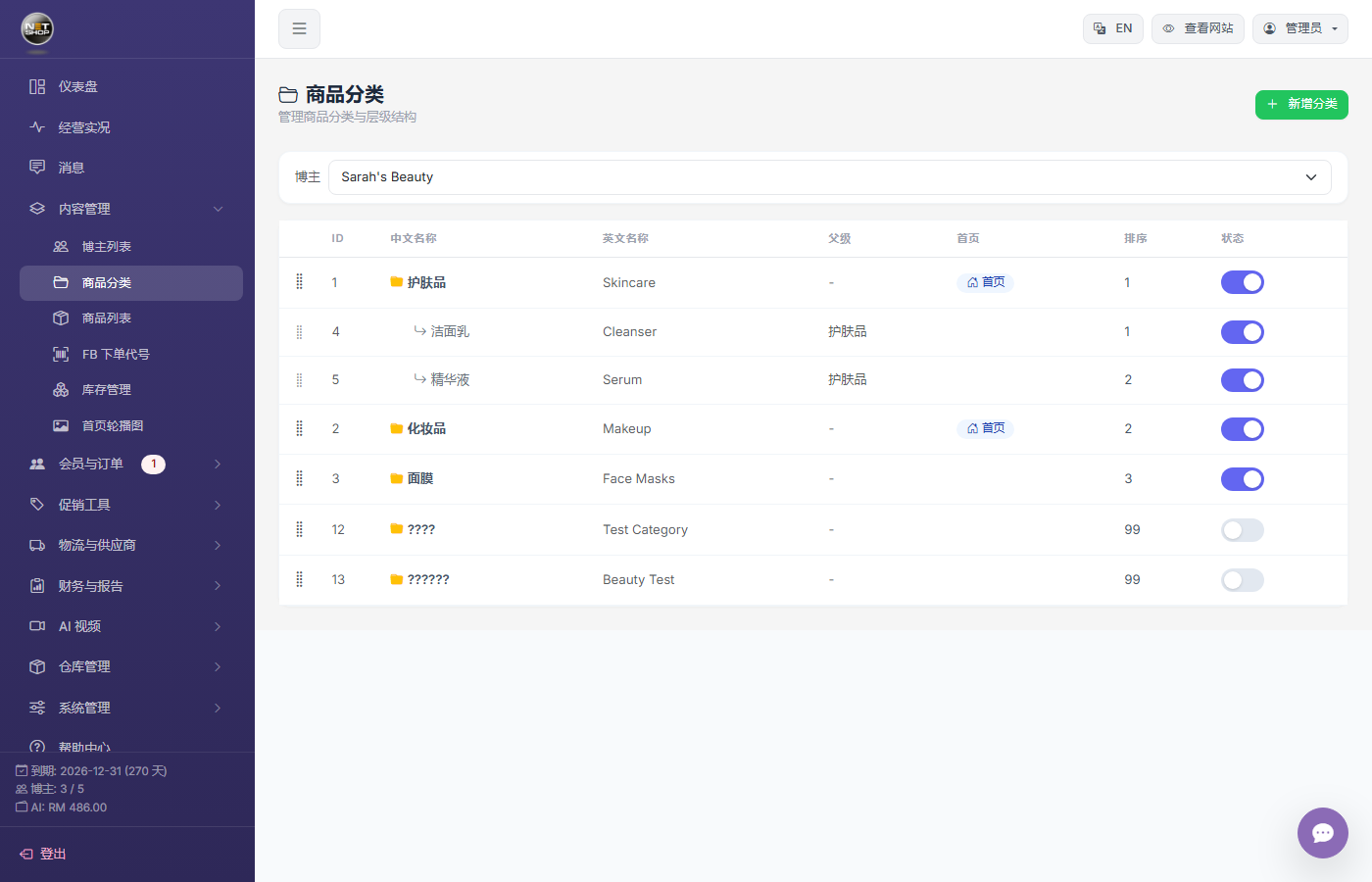
Category management page
Category Hierarchy
The system supports multi-level category structures:
- Level 1: Women, Men, Accessories
- Level 2: Tops, Pants, Skirts
- Level 3: T-Shirts, Shirts, Sweaters
Category Sorting
Drag or change the sort number to adjust the display order. Lower numbers appear first.
💡 Tip:Change the sort number and save to adjust display order. Lower numbers appear earlier on the storefront.