PWP Add-On Gifts
PWP (Purchase With Purchase) lets customers buy a designated product and then add another product at a discount.
Create a PWP Rule
Click "Promotion Tools" → "PWP" → "Add Rule" in the left menu.
Rule Fields
| Field | Description |
|---|---|
| Trigger Product | The product the customer must buy |
| Trigger Quantity | How many to buy to trigger (e.g., 1) |
| Add-On / Gift Item | The product that can be added on |
| Add-On Price | Discounted price for the add-on |
| Original Price | Original price of the add-on (for showing the strikethrough) |
| Gift Quantity | How many to give |
| Auto-Add | Whether to add the gift to the cart automatically |
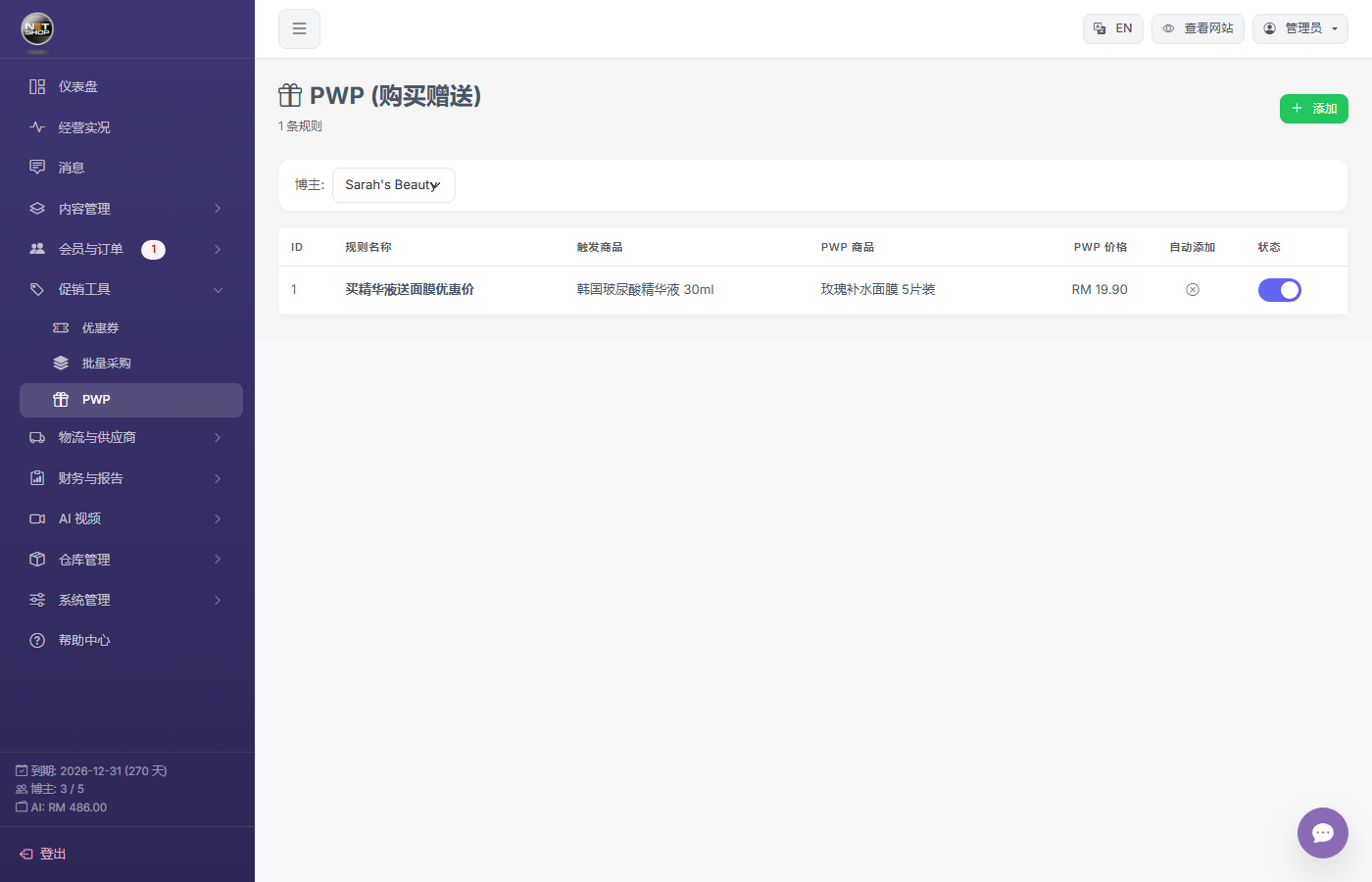
PWP management page
How It Works
- Customer adds the trigger product to the cart
- System detects a matching PWP rule
- If "Auto-Add" is on, the gift / add-on appears in the cart automatically
- The gift is priced at the add-on price
Note:PWP gifts are handled automatically by database triggers — no manual operation required. If the customer removes the trigger product, the gift is also removed automatically.