Banner Management
Open Banner Management
Click "Content Management" → "Brand Banners" in the left menu.
Add a Banner
- Click "Add Banner"
- Upload a banner image (recommended size 1200×400)
- Set the link type:
| Link Type | Description |
|---|---|
| Product Category | Jump to a category page |
| Product | Jump to a product detail page |
| Custom Link | Jump to a specified URL |
| Video | Play a video (auto-muted, looped) |
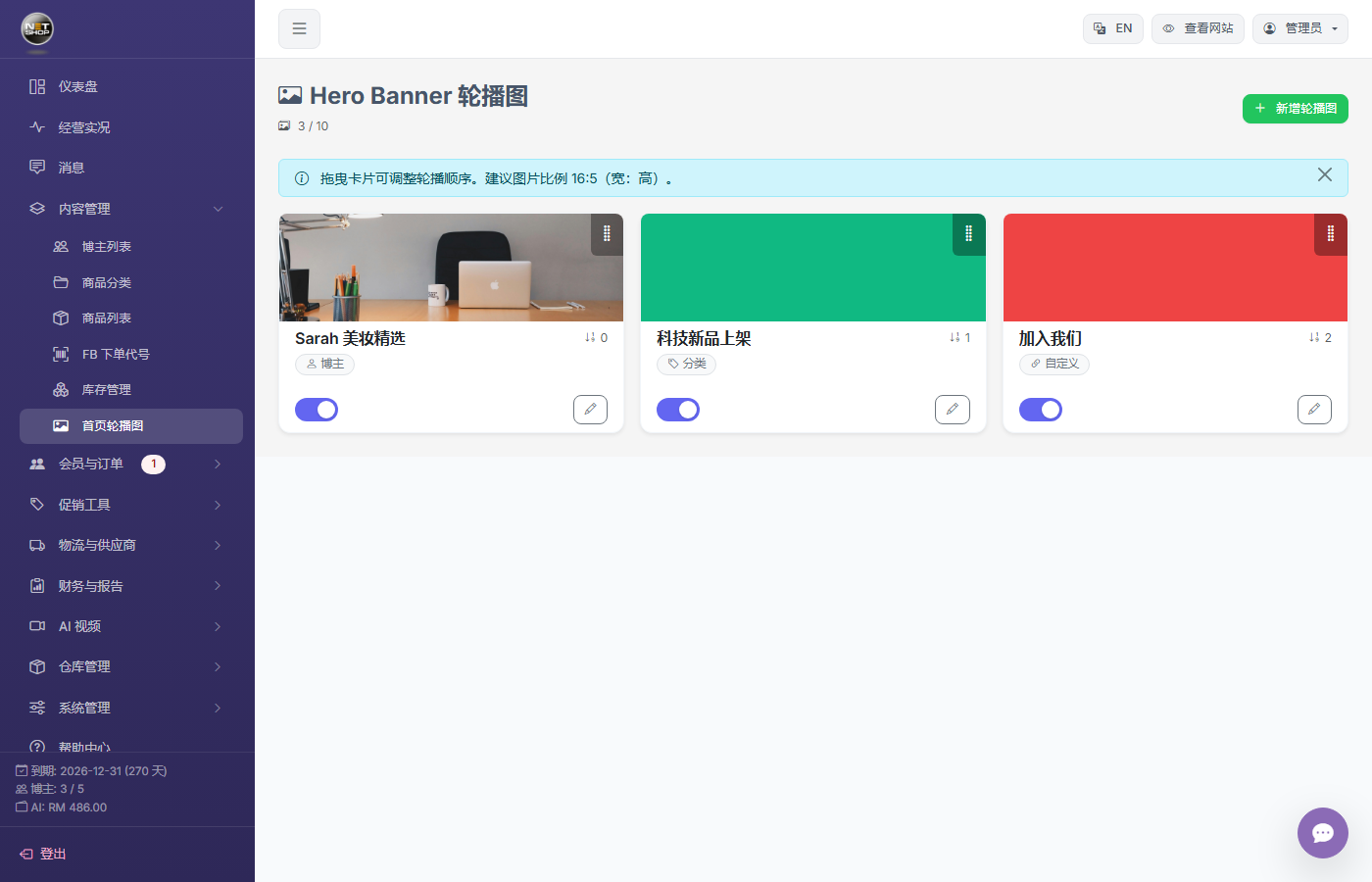
Banner management page
Sort and Manage
Drag banners to adjust the display order. Use the toggle to enable/disable a banner.